

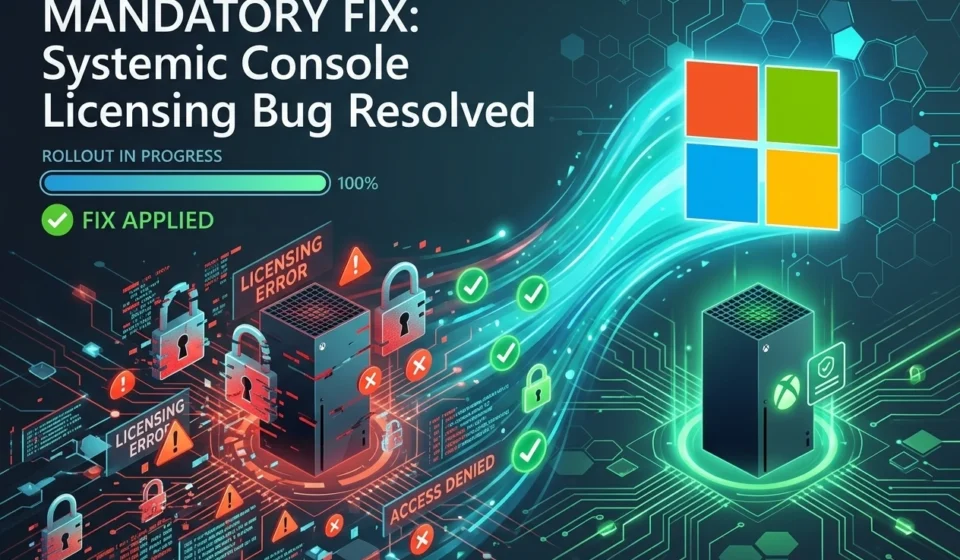

Microsoft has begun delivering a mandatory console software update worldwide to permanently address a client software bug that caused widespread Xbox login failures and prevented some players from accessing games and digital libraries. For affected users, the fix is less about adding a new feature than restoring something far more basic: reliable access to games they already own.
Mandatory Xbox Update Targets the Licensing Failure
Microsoft started distributing the corrective update globally on August 17, 2026, with the rollout focused on the software component responsible for console authentication and library access. Because the problem affected the client side of the Xbox experience, symptoms could appear particularly confusing to players. A console might power on normally, while signing in, validating ownership, or loading a digital game library could fail.
That distinction matters. When an Xbox cannot confirm a user’s account or licensing information, the experience can look like a missing purchase even when the game remains associated with the customer’s Microsoft account. For someone sitting down to play a purchased title after work, seeing a library suddenly appear incomplete can be considerably more alarming than an ordinary application crash.
Microsoft’s decision to make the corrective software mandatory reflects the seriousness of the underlying problem. Rather than leaving customers to decide whether they need the patch, the company is pushing the updated client software across supported consoles so the defective component is replaced as broadly as possible.
Why the Bug Was So Disruptive for Players
Modern console gaming depends on several services working together behind the scenes. The console itself handles local software and hardware functions, while account services confirm identity, ownership, subscriptions, licenses, cloud data and access to digitally distributed content.
When the client responsible for communicating with those services behaves incorrectly, the failure can spread across several parts of the user experience. A login problem can become a library problem. A licensing problem can look like a purchase problem. A service interruption can therefore leave players unsure whether their account, console or game itself is responsible.
The reported outages were especially disruptive because digital ownership has become central to console gaming. Players increasingly download games rather than use physical discs, while subscriptions such as Xbox Game Pass provide access to large rotating libraries. That makes dependable account authentication a core part of the gaming experience rather than a secondary convenience.
Microsoft has previously documented the role of mandatory system updates in maintaining Xbox consoles. Its Xbox Insider release notes routinely identify system builds, availability windows and mandatory update times, illustrating how console software can be distributed and enforced at the operating system level. Xbox Support also provides official troubleshooting and account assistance for customers encountering console and service problems.
What the Fix Means for Xbox Owners
For most players, the most important change should be invisible. Once the corrected client software is installed, the console should be better positioned to authenticate the user’s account and retrieve the licensing information needed to display and launch eligible content.
Players who experienced the outage should nevertheless allow the update to complete before assuming that a missing game or failed sign in represents a permanent account problem. Restarting repeatedly while an update is pending can create unnecessary confusion, particularly when the console is still processing system software in the background.
Users can take several practical steps while the rollout reaches their console:
- Check for a pending system update through the console’s system settings.
- Keep the console connected to the internet while the update downloads and installs.
- Restart the console after installation if account or library information does not immediately refresh.
- Confirm that the correct Microsoft account is signed in before attempting to repurchase or reinstall affected games.
- Use official Xbox support channels if access problems continue after the update has completed.
The third point is particularly important. A temporary licensing failure can make a purchased game appear unavailable, but that does not automatically mean the entitlement has disappeared. Players should avoid making duplicate purchases simply because a title temporarily fails to appear in the library.
A Client Bug Can Create a Service Wide Experience
The episode also illustrates a broader technical reality of connected gaming. A console may be physically functioning while its most important consumer features are unavailable because authentication depends on remote services and client software.
That architecture brings substantial benefits. Players can move between consoles, synchronize information, download purchases and access subscription libraries without carrying physical media. But it also creates dependencies. If a client component responsible for account communication contains a systemic defect, the resulting disruption can reach far beyond the individual application where the original error occurs.
For Microsoft, permanently correcting the client software is therefore more significant than simply restoring service after an isolated outage. The objective is to eliminate the defective behavior from the installed software so that affected consoles no longer rely on the problematic implementation.
Digital Game Ownership Makes Reliability More Important
The incident arrives at a time when console libraries are increasingly tied to online accounts. Physical discs remain available, but many players now build libraries around digital purchases, downloadable expansions and subscription catalogs. A dependable authentication layer has consequently become as important to the everyday gaming experience as storage capacity or controller connectivity.
That dependence changes the emotional impact of an outage. A player who has spent years building a digital library is not simply trying to open an application. They are trying to reach a collection of purchases, saved progress, achievements and subscriptions that may represent hundreds of hours and substantial spending.
When that collection suddenly appears inaccessible, the first reaction is often uncertainty. Has the account been compromised? Did a purchase disappear? Is the console damaged? Is the game publisher responsible? A clear and durable software fix can resolve the technical problem, but the incident also demonstrates why communication matters when digital access fails.
What Players Should Watch After Installation
The mandatory rollout should reduce the likelihood of the reported login and library failures as corrected software reaches more consoles. Players should still monitor their systems after installation, especially if they were directly affected by the earlier disruption.
A successful recovery should generally mean that the account signs in normally, purchased or subscription eligible content appears as expected, and games launch without unexpected ownership or licensing errors. If one particular title remains inaccessible while other library items work normally, the problem may be specific to that game or its service rather than the broader console client.
Microsoft’s official Xbox channels remain the best place to check for additional service information and troubleshooting guidance. The company’s Xbox Wire publication also regularly documents console software changes and system updates, including releases that contain stability fixes and other behind the scenes corrections. Xbox Wire provides the company’s ongoing announcements for Xbox products and services.
Why a Mandatory Patch Is the Right Response
For users affected by the licensing bug, the significance of August 17’s rollout is straightforward: the console needs corrected software, not another temporary workaround. A mandatory update gives Microsoft a way to move the fix across the installed base instead of depending on every customer to identify the problem and manually seek a solution.
That approach can also reduce fragmented support cases. When thousands of players run different versions of the same client software, troubleshooting becomes harder. Bringing consoles onto a corrected version gives support teams a more consistent technical baseline and reduces the number of users continuing to run the defective code.
For players, the best course is equally simple. Let the mandatory update install, verify that account and library access have returned, and avoid treating temporary licensing errors as evidence that purchased games have vanished. The goal of the rollout is to make the incident a software problem that has been fixed rather than a recurring part of everyday Xbox ownership.
Microsoft’s response ultimately underscores a basic expectation of connected consoles: when a player turns on a machine containing years of purchases and subscriptions, the library should be there. The mandatory patch is designed to restore that expectation and remove the client software failure that disrupted access in the first place.